
Seamless access to the Sequence Read Archive (SRA) data on the BioData Catalyst Powered by Seven Bridges
SRA is the largest repository of high throughput sequencing data, housing insights into various life forms, metagenomics, and human conditions. Now, controlled access data can be accessed securely through BioData Catalyst Powered by Seven Bridges platform (BDC-SB), thanks to the integration with Researcher Authentication Services (RAS).
Objective
This tutorial will guide you through adding your datasets of interest from dbGaP to a BDC-SB workspace for further downstream analysis.
Prerequisites
This functionality will work only if you are logged into BDC-SB platform using RAS login.
Additionally, you will need a valid RAS account with approved Data Access Requests (DARs) in dbGaP for the studies you wish to access.
Procedure
- Log into the dbGaP Portal (dbgap.ncbi.nlm.nih.gov/home/) and search for your studies of interest.
a. Download the SRA manifest file (or) identify the SRA run identifiers for the files.
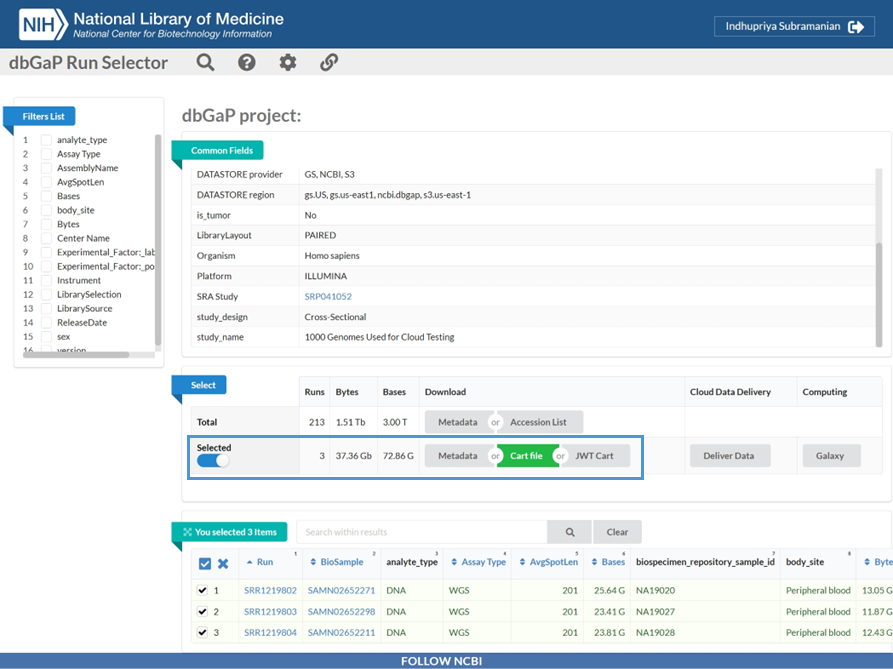
- Log into the BDC-SB platform (https://platform.sb.biodatacatalyst.nhlbi.nih.gov/) using your RAS account.
- Create a project or access an existing project where you would like to import the SRA files.
- Select the Files tab and click Add Files.
a. Import the downloaded SRA manifest file into your Project.
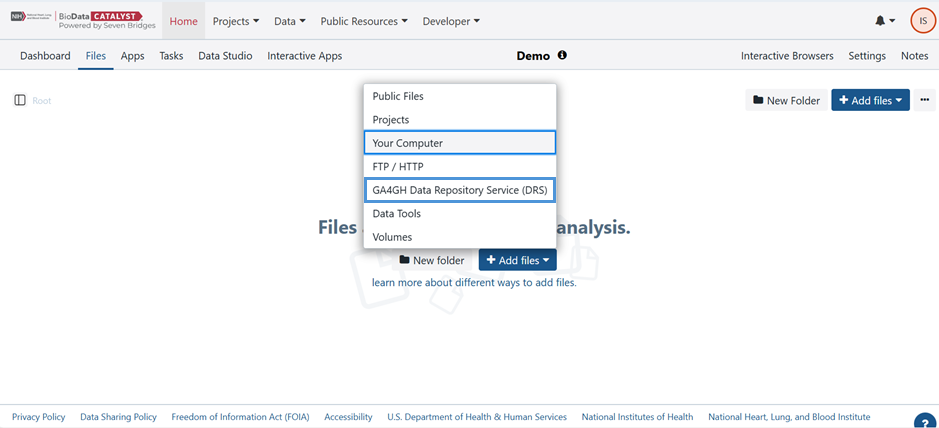
Once the files are added to the Project, you can analyse them in BDC-SB. The platform supports further processing of files from the manifest.
- Go to Public Resources menu and select Workflows and Tools to view the public apps collection on the platform and find your app of interest (SRA to DRS converter, SBG convert SRA/BAM to FASTQ, SRA fasterq-dump etc).
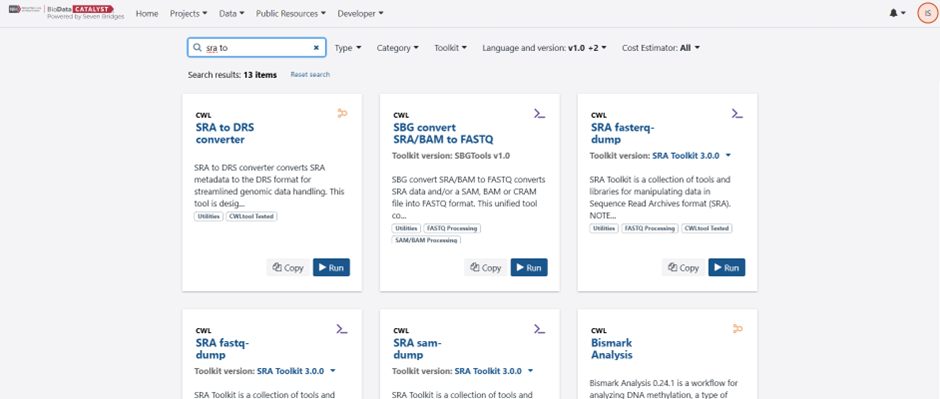
- Click on the App name to view details including the purpose of the App, app tools/pipeline, input files required, App parameters, and Output files.
- Copy the App of interest to your project.
- Alternatively, you can go to the Project and select the Apps tab. Click on Add Apps to browse public workflows and available tools and Copy to your project.
a. Once copied, click Run to execute the App.
That’s it! You can now seamlessly work with SRA datafiles on BDC – SB platform.
Updated 6 months ago